AWS Wavelength: Ultra-Low Latency Apps at the 5G Edge (2026)
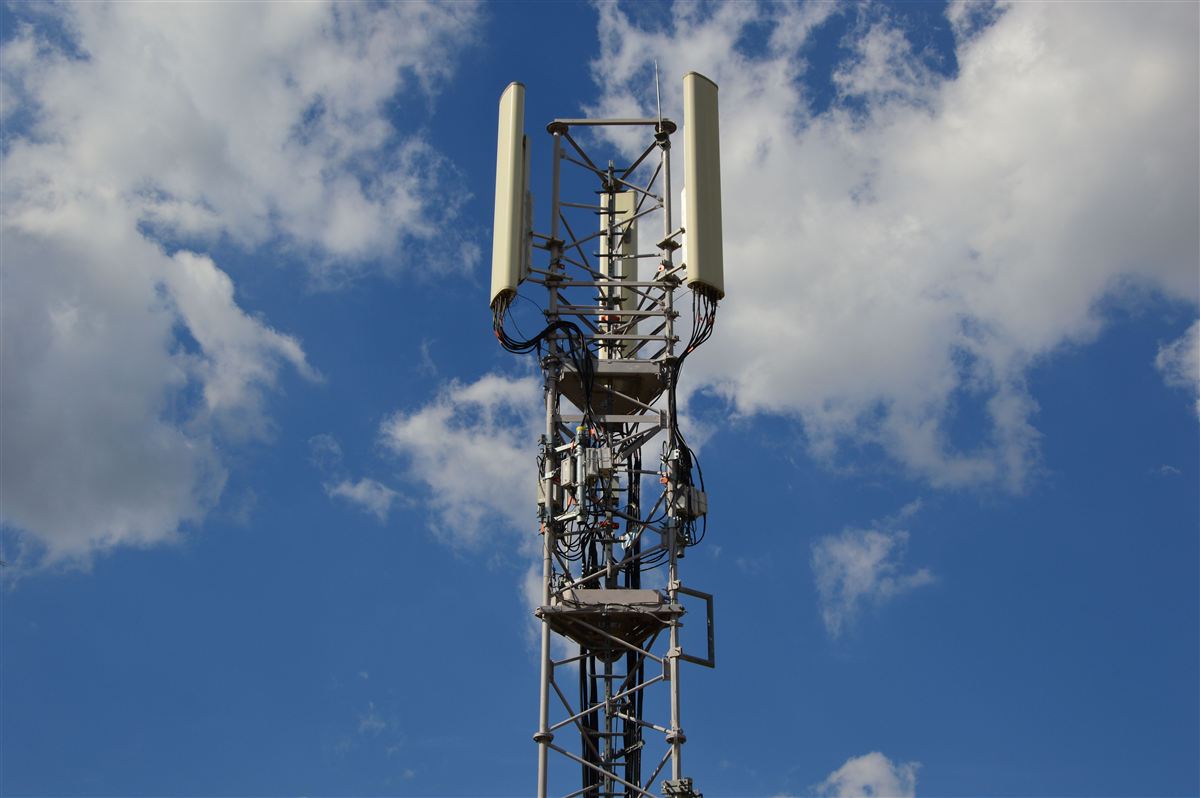
A competitive multiplayer game frame takes 16 ms to render at 60 fps. A haptic glove used in remote surgery needs to respond within 5 ms or the surgeon loses tactile fidelity. A self-driving car processing LIDAR data at an intersection can't afford the 40—80 ms round-trip to the nearest AWS region. These applications share one brutal requirement: the compute must be physically close to the end user's device — not just in the same city, but literally within the carrier's radio access network (RAN).
AWS Wavelength solves this by deploying AWS compute and storage directly inside telecom carrier data centers, co-located with the 5G base station infrastructure. When a 5G device sends a packet to a Wavelength endpoint, the packet travels through the radio link, hits the carrier's mobile packet core, and reaches AWS compute — without ever traversing the public internet or routing to a distant AWS region. The result is single-digit millisecond latency from device to cloud compute.
This guide covers everything you need to deploy production workloads on AWS Wavelength: the architecture, supported telecom partners, CLI setup commands, Terraform HCL, Kubernetes YAML for EKS edge nodes, real-world use cases with latency math, hybrid architecture patterns, and a frank cost analysis to help you decide when Wavelength earns its premium over standard AWS infrastructure.
Table of Contents
- Wavelength vs Local Zones vs Outposts vs Edge Computing — Decision Table
- Wavelength Architecture: Zones, Carrier IP, and Traffic Flow
- Supported Telecom Partners and Coverage Zones
- Setting Up Wavelength: Opt-In, Subnets, Carrier IP, and Routes
- EC2 in Wavelength: Instance Types, Launch Commands, and Terraform
- EKS and ECS in Wavelength: Edge Node Groups and Topology Spread
- Real-World Use Cases: AR/VR, Autonomous Vehicles, Live Video, Industrial IoT
- Hybrid Architecture: Splitting Workloads Between Edge and Region
- Networking Deep Dive: VPC Routing, NLB, Direct Connect to Carrier
- Monitoring and Cost: CloudWatch Metrics, Carrier IP Pricing, ROI Analysis
Wavelength vs Local Zones vs Outposts vs Edge Computing — Decision Table
AWS has four distinct answers to the "I need compute closer to the user" problem. Choosing the wrong one wastes money, adds complexity, and still fails to hit your latency target. The core decision axis is: who owns the physical location, and how is the user accessing your application?
AWS Wavelength is purpose-built for applications consumed by 5G mobile devices. The compute lives inside the telecom's infrastructure, so traffic flows directly from the UE (user equipment — the phone, tablet, or IoT module) through the 5G radio stack to AWS without touching the internet. This gives you sub-10 ms latency from device to application server. The trade-off: you're dependent on the telecom partner's coverage and the user must be on that carrier's 5G network.
AWS Local Zones are small AWS infrastructure deployments in metro areas — think a micro-AZ in a city that doesn't have a full AWS region. Local Zones serve users accessing applications over fiber broadband, enterprise WAN, or public internet. You get 1—10 ms improvement over the nearest full region for users in that metro area, but you're not embedded in the carrier network, so mobile 5G users don't get the Wavelength sub-5 ms benefit. Local Zones are ideal for media rendering, gaming studios, financial trading desks, and live event streaming to broadband viewers.
AWS Outposts bring AWS hardware into your own data center or co-location facility. You own the physical location. The use case is data sovereignty, ultra-low latency to on-premises systems (PLCs, SCADA, proprietary hardware), and compliance requirements that prohibit data leaving your facility. Outposts is not optimized for internet-connected end users — it's optimized for on-premises systems that need to talk to AWS APIs with microsecond latency over a local LAN.
Generic edge computing (CDN edge, Cloudflare Workers, Lambda@Edge, CloudFront Functions) handles request/response workloads — serving cached content, transforming HTTP headers, lightweight auth. These tools have global PoP coverage but cannot run stateful, compute-intensive applications. You can't run a real-time game server or a neural inference pipeline at a CDN edge node.
| Dimension | AWS Wavelength | AWS Local Zones | AWS Outposts | CDN / Lambda@Edge |
|---|---|---|---|---|
| Typical latency to end user | <10 ms (5G UE) | 1—10 ms (metro broadband) | <1 ms (on-premises LAN) | 5—50 ms (HTTP only) |
| Location ownership | Telecom carrier DC | AWS-owned metro DC | Your data center | CDN vendor PoPs |
| Network path | 5G RAN → carrier core → Wavelength | Internet / WAN → Local Zone | LAN → Outpost | Internet → CDN PoP |
| Best for | Mobile 5G apps, AR/VR, V2X | Media, gaming studios, fintech | Data sovereignty, OT systems | Static content, auth, redirects |
| Full EC2 / container support | Yes (subset of types) | Yes (most types) | Yes (most types) | No (function-only) |
| Requires carrier partnership | Yes | No | No | No |
| Data stays in country | Depends on carrier zone | Yes (local zone country) | Yes (your facility) | No (CDN global routing) |
Wavelength Architecture: Zones, Carrier IP, and Traffic Flow
Understanding how Wavelength works at the network level is essential before you deploy anything. The architecture has several distinct layers, and traffic routing rules are stricter than standard AWS VPC routing.
The Wavelength Zone
A Wavelength Zone (WLZ) is logically similar to an Availability Zone — it appears as an AZ in your AWS account once you opt in. However, it is physically located inside a telecom carrier's data center, not in an AWS data center. The WLZ is connected to a parent AWS region (e.g., us-east-1) via a dedicated high-bandwidth, low-latency link that AWS and the carrier co-manage. This link is not the public internet — it's a private peering between AWS infrastructure and the carrier's backbone.
Carrier IP Addresses
This is the key architectural difference from standard AWS. In a regular VPC, instances get private IPs, and you allocate Elastic IPs for internet access. In a Wavelength Zone, instances get private IPs from your VPC CIDR as usual — but for external access from the 5G network, you allocate a Carrier IP instead of an Elastic IP. The Carrier IP is an IP address from the telecom carrier's address space. When a 5G device sends traffic to your Carrier IP, the carrier's routing infrastructure knows to deliver it directly to the Wavelength Zone without hairpinning through the internet.
Traffic Flow Diagram
5G UE (phone/device)
    |
    | [Radio link — 5G NR, sub-6 GHz or mmWave]
    |
[gNodeB — 5G base station]
    |
    | [5G Core network — N3/N6 interface]
    |
[Carrier Mobile Packet Core (UPF — User Plane Function)]
    |
    | [Private peering — carrier backbone]
    |
[Wavelength Zone — compute inside carrier DC]
    |   EC2 instance (t3.medium / r5.2xlarge / g4dn.xlarge)
    |   Private IP: 10.0.2.14
    |   Carrier IP: 155.146.x.x (Verizon IP space)
    |
    | [AWS private link — dedicated fiber to parent region]
    |
[Parent AWS Region (e.g., us-east-1)]
    |   Heavy compute: ML training, databases, analytics
    |   S3, RDS, DynamoDB, SageMaker endpoints
| Elastic Load Balancer for non-5G usersVPC Extension Model
Your Wavelength Zone infrastructure is part of the same VPC as your parent region resources. You create a subnet in the Wavelength Zone within your existing VPC, add a Carrier Gateway (CGW) to the VPC, and create route tables that route 0.0.0.0/0 through the CGW for Wavelength subnets. Instances in the Wavelength Zone and instances in the parent region can communicate using private IPs across the AWS private link — no NAT, no VPN, no additional peering required.
Supported Telecom Partners and Coverage Zones
AWS Wavelength is only available in locations where AWS has co-location agreements with 5G carriers. As of 2026, the following carriers have production Wavelength deployments:
Verizon (United States)
Verizon was the launch partner for AWS Wavelength and has the broadest US coverage. Wavelength Zones are available in major metro areas including: Boston (us-east-1-wl1-bos-wlz-1), Chicago (us-east-1-wl1-chi-wlz-1), Dallas (us-west-2-wl1-dfw-wlz-1), Denver (us-west-2-wl1-den-wlz-1), Las Vegas (us-west-2-wl1-las-wlz-1), Miami (us-east-1-wl1-mia-wlz-1), Minneapolis (us-east-1-wl1-msp-wlz-1), New York / New Jersey (us-east-1-wl1-nyc-wlz-1), San Francisco Bay Area (us-west-2-wl1-sfo-wlz-1), Seattle (us-west-2-wl1-sea-wlz-1), and Washington DC (us-east-1-wl1-was-wlz-1). Verizon's 5G UW (ultra-wideband) mmWave coverage in dense urban areas achieves less than 1 ms radio latency, making the total device-to-compute path well under 5 ms in supported locations.
Vodafone (Europe)
Vodafone supports Wavelength in Europe under the eu-west-2 (London) parent region. UK coverage includes London and Manchester. Vodafone also operates Wavelength in Germany (eu-central-1 parent region) covering Berlin, Munich, and Frankfurt. European deployments are particularly valuable for GDPR-compliant mobile edge applications where processing personal data on a carrier network within the EU satisfies data residency requirements without needing to route to distant data centers.
KDDI (Japan)
KDDI operates Wavelength Zones in Japan under the ap-northeast-1 (Tokyo) parent region. Coverage includes Tokyo and Osaka. Japan's 5G rollout has been aggressive — KDDI's au 5G network covers major urban areas and industrial parks. This makes Japan Wavelength deployments well-suited for automotive applications (Toyota and Honda have R&D facilities near KDDI Wavelength zones) and robotics/manufacturing use cases.
SK Telecom (South Korea)
SK Telecom, one of the world's first commercial 5G operators, supports Wavelength in South Korea under the ap-northeast-2 (Seoul) parent region. South Korea has one of the highest 5G penetration rates globally, making it an excellent market for testing 5G edge applications at scale before rolling out to other regions.
aws ec2 describe-availability-zones --filters Name=zone-type,Values=wavelength-zone. Coverage changes frequently enough that documentation may lag the actual available zones in your account.
| Carrier | Countries | Parent Region | Key Cities | 5G Technology |
|---|---|---|---|---|
| Verizon | USA | us-east-1, us-west-2 | NYC, LA, Chicago, Boston, Dallas | 5G UW (mmWave) + 5G Nationwide (sub-6) |
| Vodafone | UK, Germany | eu-west-2, eu-central-1 | London, Berlin, Munich | 5G SA (Standalone), sub-6 GHz |
| KDDI | Japan | ap-northeast-1 | Tokyo, Osaka | 5G SA, sub-6 GHz + mmWave |
| SK Telecom | South Korea | ap-northeast-2 | Seoul, Busan | 5G SA, 3.5 GHz band |
Setting Up Wavelength: Opt-In, Subnets, Carrier IP, and Route Tables
Wavelength Zones are not enabled by default in your AWS account. The setup process has four sequential steps: opt in to the zone, create a subnet in it, allocate a Carrier IP, and configure route tables to route through the Carrier Gateway.
Step 1: Opt In to a Wavelength Zone
# List all available Wavelength Zones
aws ec2 describe-availability-zones \
  --filters Name=zone-type,Values=wavelength-zone \
  --query 'AvailabilityZones[*].{ZoneName:ZoneName,State:State,GroupName:GroupName}' \
  --output table

# Opt in to specific Wavelength Zone (Verizon NYC)
aws ec2 modify-availability-zone-group \
  --group-name us-east-1-wl1-nyc-wlz-1 \
  --opt-in-status opted-in

# Verify opt-in status
aws ec2 describe-availability-zones \
  --filters Name=group-name,Values=us-east-1-wl1-nyc-wlz-1 \
  --query 'AvailabilityZones[0].{State:State,OptInStatus:OptInStatus}'
Step 2: Create a Carrier Gateway
The Carrier Gateway (CGW) is the routing component that connects your VPC to the carrier's mobile network. You create one CGW per VPC — it can serve multiple Wavelength subnets in the same VPC.
# Create Carrier Gateway for your VPC
aws ec2 create-carrier-gateway \
  --vpc-id vpc-xxxxxxxxxxxxxxxxx \
  --tag-specifications 'ResourceType=carrier-gateway,Tags=[{Key=Name,Value=wavelength-cgw},{Key=Environment,Value=production}]'

# Note the CarrierGatewayId from the output
# CarrierGatewayId: cagw-xxxxxxxxxxxxxxxxx
Step 3: Create a Subnet in the Wavelength Zone
# Create subnet in the Wavelength Zone
# Note: --availability-zone-id is the zone-specific ID, not the zone name
aws ec2 create-subnet \
  --vpc-id vpc-xxxxxxxxxxxxxxxxx \
  --cidr-block 10.0.100.0/24 \
  --availability-zone us-east-1-wl1-nyc-wlz-1 \
  --tag-specifications 'ResourceType=subnet,Tags=[{Key=Name,Value=wavelength-nyc-subnet},{Key=Zone,Value=wavelength}]'

# Verify subnet is in Wavelength Zone
aws ec2 describe-subnets \
  --subnet-ids subnet-xxxxxxxxxxxxxxxxx \
  --query 'Subnets[0].{ZoneName:AvailabilityZone,ZoneId:AvailabilityZoneId,CIDR:CidrBlock}'
Step 4: Configure Route Table for Wavelength Subnet
# Create a dedicated route table for the Wavelength subnet
aws ec2 create-route-table \
  --vpc-id vpc-xxxxxxxxxxxxxxxxx \
  --tag-specifications 'ResourceType=route-table,Tags=[{Key=Name,Value=wavelength-rtb}]'

# Add default route through Carrier Gateway (for 5G device traffic)
aws ec2 create-route \
  --route-table-id rtb-xxxxxxxxxxxxxxxxx \
  --destination-cidr-block 0.0.0.0/0 \
  --carrier-gateway-id cagw-xxxxxxxxxxxxxxxxx

# Associate the route table with the Wavelength subnet
aws ec2 associate-route-table \
  --route-table-id rtb-xxxxxxxxxxxxxxxxx \
  --subnet-id subnet-xxxxxxxxxxxxxxxxx
Step 5: Allocate a Carrier IP
# Allocate a Carrier IP address (similar to Elastic IP but from carrier space)
aws ec2 allocate-address \
  --network-border-group us-east-1-wl1-nyc-wlz-1 \
  --tag-specifications 'ResourceType=elastic-ip,Tags=[{Key=Name,Value=wavelength-carrier-ip}]'

# Output example:
# {
#   "PublicIp": "155.146.x.x",
#   "AllocationId": "eipalloc-xxxxxxxxxxxxxxxxx",
#   "NetworkBorderGroup": "us-east-1-wl1-nyc-wlz-1",
#   "Domain": "vpc",
#   "CarrierIp": "155.146.x.x"
# }

# Associate the Carrier IP with an EC2 instance's ENI
aws ec2 associate-address \
  --allocation-id eipalloc-xxxxxxxxxxxxxxxxx \
--network-interface-id eni-xxxxxxxxxxxxxxxxx--network-border-group that matches the Wavelength Zone's network border group. Omitting it allocates a standard Elastic IP, which cannot be routed through the carrier network and will not work for 5G device traffic.
EC2 in Wavelength: Instance Types, Launch Commands, and Terraform
Not all EC2 instance types are available in Wavelength Zones. The carrier data centers have limited footprint compared to full AWS regions, so AWS offers a carefully selected set of instance families optimized for edge workloads. As of 2026, supported instance types include:
- t3.medium, t3.xlarge, t3.2xlarge — General purpose, burstable CPU. Best for stateless API servers, lightweight game matchmaking, IoT message brokers.
- r5.2xlarge, r5.4xlarge — Memory-optimized. Best for in-memory caching, real-time analytics, session state for thousands of concurrent 5G connections.
- g4dn.xlarge, g4dn.2xlarge — GPU-accelerated (NVIDIA T4). Best for real-time ML inference, AR/VR rendering, video transcoding at the edge. The T4 GPU can handle 12 TOPS of INT8 inference, sufficient for real-time object detection on live 5G video streams.
Launch EC2 in Wavelength Zone via CLI
# First, create a security group in the VPC (not zone-specific)
aws ec2 create-security-group \
  --vpc-id vpc-xxxxxxxxxxxxxxxxx \
  --group-name wavelength-app-sg \
  --description "Security group for Wavelength edge app"

# Allow application port from carrier network (TCP 8080)
aws ec2 authorize-security-group-ingress \
  --group-id sg-xxxxxxxxxxxxxxxxx \
  --protocol tcp --port 8080 --cidr 0.0.0.0/0

# Allow SSH from parent region (for management)
aws ec2 authorize-security-group-ingress \
  --group-id sg-xxxxxxxxxxxxxxxxx \
  --protocol tcp --port 22 --cidr 10.0.0.0/8

# Launch EC2 instance in Wavelength subnet
aws ec2 run-instances \
  --image-id ami-0abcdef1234567890 \
  --instance-type t3.medium \
  --key-name my-edge-keypair \
  --subnet-id subnet-xxxxxxxxxxxxxxxxx \
  --security-group-ids sg-xxxxxxxxxxxxxxxxx \
  --associate-public-ip-address \
  --tag-specifications 'ResourceType=instance,Tags=[{Key=Name,Value=wavelength-edge-server},{Key=Zone,Value=nyc-wavelength}]' \
  --user-data file://edge-server-init.sh

# Verify instance is running in Wavelength Zone
aws ec2 describe-instances \
  --instance-ids i-xxxxxxxxxxxxxxxxx \
  --query 'Reservations[0].Instances[0].{State:State.Name,Zone:Placement.AvailabilityZone,IP:PrivateIpAddress}'
Terraform HCL for Wavelength Infrastructure
terraform {
  required_providers {
    aws = { source = "hashicorp/aws", version = "~> 5.0" }
  }
}

provider "aws" {
  region = "us-east-1"
}

# Opt-in to Wavelength Zone (managed outside Terraform — do once via CLI)
# aws ec2 modify-availability-zone-group --group-name us-east-1-wl1-nyc-wlz-1 --opt-in-status opted-in

data "aws_vpc" "main" {
  id = var.vpc_id
}

# Carrier Gateway
resource "aws_ec2_carrier_gateway" "wavelength" {
  vpc_id = data.aws_vpc.main.id
  tags = {
    Name        = "wavelength-carrier-gateway"
    Environment = var.environment
  }
}

# Wavelength Zone subnet
resource "aws_subnet" "wavelength_nyc" {
  vpc_id            = data.aws_vpc.main.id
  cidr_block        = "10.0.100.0/24"
  availability_zone = "us-east-1-wl1-nyc-wlz-1"
  tags = {
    Name = "wavelength-nyc-subnet"
    Zone = "wavelength"
  }
}

# Route table for Wavelength subnet
resource "aws_route_table" "wavelength" {
  vpc_id = data.aws_vpc.main.id

  route {
    cidr_block         = "0.0.0.0/0"
    carrier_gateway_id = aws_ec2_carrier_gateway.wavelength.id
  }

  tags = { Name = "wavelength-route-table" }
}

resource "aws_route_table_association" "wavelength_nyc" {
  subnet_id      = aws_subnet.wavelength_nyc.id
  route_table_id = aws_route_table.wavelength.id
}

# Security group
resource "aws_security_group" "wavelength_app" {
  name        = "wavelength-app-sg"
  description = "Allow 5G device traffic to edge application"
  vpc_id      = data.aws_vpc.main.id

  ingress {
    from_port   = 8080
    to_port     = 8080
    protocol    = "tcp"
    cidr_blocks = ["0.0.0.0/0"]
    description = "App traffic from 5G devices via Carrier IP"
  }

  ingress {
    from_port   = 22
    to_port     = 22
    protocol    = "tcp"
    cidr_blocks = ["10.0.0.0/8"]
    description = "SSH from parent region VPC"
  }

  egress {
    from_port   = 0
    to_port     = 0
    protocol    = "-1"
    cidr_blocks = ["0.0.0.0/0"]
  }

  tags = { Name = "wavelength-app-sg" }
}

# EC2 instance in Wavelength Zone
resource "aws_instance" "edge_server" {
  ami                    = data.aws_ami.amazon_linux_2023.id
  instance_type          = "t3.medium"
  subnet_id              = aws_subnet.wavelength_nyc.id
  vpc_security_group_ids = [aws_security_group.wavelength_app.id]
  key_name               = var.key_pair_name

  tags = {
    Name        = "wavelength-edge-server-nyc"
    Zone        = "wavelength"
    Environment = var.environment
  }
}

# Carrier IP (allocate in the Wavelength network border group)
resource "aws_eip" "carrier_ip" {
  network_border_group = "us-east-1-wl1-nyc-wlz-1"
  domain               = "vpc"
  tags = { Name = "wavelength-carrier-ip-nyc" }
}

# Associate Carrier IP with instance
resource "aws_eip_association" "carrier_ip" {
  instance_id   = aws_instance.edge_server.id
  allocation_id = aws_eip.carrier_ip.id
}

data "aws_ami" "amazon_linux_2023" {
  most_recent = true
  owners      = ["amazon"]
  filter {
    name   = "name"
    values = ["al2023-ami-*-x86_64"]
  }
}
EKS and ECS in Wavelength: Edge Node Groups and Topology Spread
Running Kubernetes at the edge introduces a critical architecture question: where does the control plane live? AWS EKS solves this cleanly — the Kubernetes control plane (API server, etcd, scheduler) lives in the parent AWS region, while worker nodes run in Wavelength Zones. This gives you full Kubernetes capabilities (kubectl, Helm, service mesh, HPA) without putting latency-sensitive control plane operations at the edge where they add no value.
Creating an EKS Node Group in a Wavelength Zone
# Assume EKS cluster already exists in parent region (us-east-1)
# Create a node group specifically for Wavelength Zone

aws eks create-nodegroup \
  --cluster-name production-cluster \
  --nodegroup-name wavelength-nyc-nodes \
  --subnets subnet-xxxxxxxxxxxxxxxxx \
  --instance-types t3.medium \
  --ami-type AL2_x86_64 \
  --capacity-type ON_DEMAND \
  --scaling-config minSize=2,maxSize=10,desiredSize=3 \
  --node-role arn:aws:iam::123456789012:role/EKSNodeRole \
  --labels zone=wavelength,carrier=verizon,city=nyc \
  --taints key=wavelength,value=true,effect=NoSchedule

# Check node group status
aws eks describe-nodegroup \
  --cluster-name production-cluster \
  --nodegroup-name wavelength-nyc-nodes \
  --query 'nodegroup.{Status:status,Health:health}'
Kubernetes Deployment with Wavelength Node Affinity
Use node affinity and tolerations to ensure latency-sensitive pods schedule only on Wavelength nodes, while keeping control-plane adjacent workloads in the parent region.
apiVersion: apps/v1
kind: Deployment
metadata:
  name: edge-game-server
  namespace: gaming
  labels:
    app: edge-game-server
    tier: wavelength-edge
spec:
  replicas: 3
  selector:
    matchLabels:
      app: edge-game-server
  template:
    metadata:
      labels:
        app: edge-game-server
        zone: wavelength
    spec:
      # Tolerate the Wavelength taint
      tolerations:
      - key: "wavelength"
        operator: "Equal"
        value: "true"
        effect: "NoSchedule"

      # Pin to Wavelength nodes
      affinity:
        nodeAffinity:
          requiredDuringSchedulingIgnoredDuringExecution:
            nodeSelectorTerms:
            - matchExpressions:
              - key: zone
                operator: In
                values: ["wavelength"]
              - key: city
                operator: In
                values: ["nyc"]  # Specific Wavelength Zone city

      # Spread replicas across available Wavelength nodes
      topologySpreadConstraints:
      - maxSkew: 1
        topologyKey: kubernetes.io/hostname
        whenUnsatisfiable: DoNotSchedule
        labelSelector:
          matchLabels:
            app: edge-game-server

      containers:
      - name: game-server
        image: 123456789012.dkr.ecr.us-east-1.amazonaws.com/game-server:v2.1
        ports:
        - containerPort: 7777
          protocol: UDP
          name: game-udp
        - containerPort: 8080
          protocol: TCP
          name: health
        resources:
          requests:
            cpu: "500m"
            memory: "1Gi"
          limits:
            cpu: "2000m"
            memory: "4Gi"
        env:
        - name: NODE_ZONE
          valueFrom:
            fieldRef:
              fieldPath: spec.nodeName
        - name: MAX_PLAYERS_PER_SERVER
          value: "100"
        livenessProbe:
          httpGet:
            path: /health
            port: 8080
          initialDelaySeconds: 10
          periodSeconds: 15
        readinessProbe:
          httpGet:
            path: /ready
            port: 8080
          initialDelaySeconds: 5
          periodSeconds: 10
ECS in Wavelength Zones
ECS is simpler to deploy at the edge than EKS because there's no control plane to manage. You create an ECS cluster, add EC2 container instances in the Wavelength subnet, and register tasks normally. The ECS agent on each instance communicates with the ECS control plane in the parent region over the private AWS link — this adds minimal overhead since the control plane communication is infrequent compared to actual request traffic.
# Register ECS task definition for edge inference service
aws ecs register-task-definition \
  --family edge-inference \
  --requires-compatibilities EC2 \
  --network-mode awsvpc \
  --cpu 2048 \
  --memory 4096 \
  --container-definitions '[{
    "name": "inference-server",
    "image": "123456789012.dkr.ecr.us-east-1.amazonaws.com/inference:latest",
    "portMappings": [{"containerPort": 8080, "protocol": "tcp"}],
    "environment": [
      {"name": "MODEL_PATH", "value": "/models/yolov8n.onnx"},
      {"name": "DEVICE", "value": "cpu"}
    ],
    "logConfiguration": {
      "logDriver": "awslogs",
      "options": {
        "awslogs-group": "/ecs/edge-inference",
        "awslogs-region": "us-east-1",
        "awslogs-stream-prefix": "wavelength"
      }
    }
  }]'

# Create ECS service in Wavelength subnet
aws ecs create-service \
  --cluster wavelength-edge-cluster \
  --service-name inference-service \
  --task-definition edge-inference:1 \
  --desired-count 2 \
  --network-configuration "awsvpcConfiguration={subnets=[subnet-xxxxxxxxxxxxxxxxx],securityGroups=[sg-xxxxxxxxxxxxxxxxx]}" \
--placement-strategy type=spread,field=instanceIdReal-World Use Cases: AR/VR, Autonomous Vehicles, Live Video, Industrial IoT
The killer use cases for AWS Wavelength all share one property: the application loop is so tight that even a 30 ms round-trip to a cloud region breaks the user experience. Here are four production-grade use cases with latency math.
1. AR/VR Gaming and Mixed Reality
Mobile AR/VR at 90 fps requires a new frame every 11.1 ms. For a mobile-cloud rendering architecture (where the heavy rendering happens in the cloud and only pixels are streamed to the device), the total frame pipeline budget is roughly: render time (4—6 ms on GPU) + encode (1—2 ms) + network (must be <3 ms) + decode on device (1 ms) = ~10 ms. With a standard AWS region, the network alone is 40—80 ms — fatal for the experience. With Wavelength and a g4dn.xlarge at the edge, the network component drops to 1—3 ms, making the complete pipeline viable.
| Path | Render | Network RTT | Total | 90fps viable? |
|---|---|---|---|---|
| Standard AWS region (NYC to us-east-1) | 5 ms | 40—60 ms | ~55 ms | No (18fps equivalent) |
| AWS Local Zone (NYC) | 5 ms | 8—15 ms | ~18 ms | Marginal (55fps) |
| AWS Wavelength (Verizon NYC) | 5 ms | 2—5 ms | ~9 ms | Yes (>90fps) |
| On-device rendering only | 16 ms | 0 ms | 16 ms | Yes but limited GPU |
2. Autonomous Vehicle Data Processing
Modern autonomous vehicles generate 4—10 TB of raw sensor data per hour from LIDAR, cameras, RADAR, and GPS fusion. A critical use case for 5G + Wavelength is V2X (Vehicle-to-Everything) communication — vehicles sharing real-time position, speed, and hazard data with other vehicles and road infrastructure. V2X safety messages must be processed and re-broadcast within 10 ms. Sending this data to a distant cloud region is not viable; the vehicle could have moved 3+ meters in the round-trip time at highway speed.
With Wavelength, V2X infrastructure runs at the edge: vehicles connect to the 5G network, packets reach the Wavelength Zone (co-located with the cell tower serving the road segment), the edge server fuses data from all vehicles in the zone and broadcasts hazard alerts back — all within 8—10 ms. The Wavelength instance then forwards aggregated, anonymized telemetry to the parent region for training data pipelines and fleet analytics.
3. Live Video Streaming and Real-Time Transcoding
Live sports broadcasts, concert streaming, and UGC (user-generated content) platforms require real-time transcoding from the camera's native format to adaptive bitrate HLS/DASH for viewer delivery. Running this transcoding at the Wavelength Zone eliminates the expensive satellite or fiber uplink from venue to data center. A camera crew's 5G-connected encoder sends the raw stream directly to a Wavelength g4dn instance for GPU-accelerated FFmpeg transcoding, and the CDN origin is updated in real time from the Wavelength Zone, which connects to the parent region S3 bucket over the private AWS link.
# FFmpeg HLS transcoding command running on g4dn.xlarge at Wavelength
ffmpeg \
  -i udp://0.0.0.0:5000 \
  -c:v h264_nvenc \
  -preset fast \
  -b:v:0 5000k -s:v:0 1920x1080 \
  -b:v:1 2500k -s:v:1 1280x720 \
  -b:v:2 800k  -s:v:2 854x480 \
  -f hls \
  -hls_time 2 \
  -hls_list_size 10 \
  -hls_flags delete_segments \
  -var_stream_map "v:0 v:1 v:2" \
  -master_pl_name master.m3u8 \
  s3://live-origin-bucket/stream/quality_%v/segment%03d.ts
4. Industrial IoT and Factory Automation
Smart factories using 5G private networks for wireless PLC and SCADA communication generate thousands of sensor readings per second from conveyor systems, robotic arms, and quality inspection cameras. Wavelength enables running edge ML inference (anomaly detection, visual quality inspection) at sub-10 ms latency — fast enough to trigger safety stops on a conveyor belt before a defective component reaches the next assembly station. The parent region handles model training, historical analytics, and ERP integration.
Hybrid Architecture: Splitting Workloads Between Edge and Region
Few real applications run entirely at the edge. The right pattern is to split workloads by latency sensitivity: put only what must be fast at the edge, and keep heavy computation, durable storage, and management systems in the parent region where you have full AWS service breadth and lower cost per vCPU.
The Edge/Region Split Pattern
WAVELENGTH ZONE (sub-10ms path)          PARENT REGION (standard AWS)
======================================   ====================================
Real-time game server (game logic,       Matchmaking service (DynamoDB)
 physics, player state)                  Leaderboards (ElastiCache + RDS)
                                         Analytics pipeline (Kinesis + EMR)
AR object detection inference            ML model training (SageMaker)
 (YOLO running on T4 GPU)                Training data lake (S3)
                                         Model registry (ECR + SageMaker)

Live video transcoding (FFmpeg+NVENC)    VOD processing (MediaConvert)
 → push segments to S3 via priv link     CDN origin (CloudFront + S3)
                                         Metadata service (DynamoDB)

IoT edge aggregation (1000 sensors       Time-series database (Timestream)
 → local 100ms aggregate)               Alerting (CloudWatch + SNS)
                                         Fleet management (IoT Core)

PRIVATE AWS LINK (low-latency, high-BW, not public internet)
<----------------------------------------------------------->
Service Mesh for Edge-Region Communication
When using EKS across both Wavelength and parent region node groups, AWS App Mesh or Istio can manage service-to-service communication transparently. Pods in the Wavelength Zone communicate with services in the parent region using standard Kubernetes service discovery — the DNS resolves to the pod's private IP, and the traffic routes over the private AWS link automatically.
---
# VirtualNode for edge service (in Wavelength Zone)
apiVersion: appmesh.k8s.aws/v1beta2
kind: VirtualNode
metadata:
  name: edge-inference-vnode
  namespace: gaming
spec:
  meshRef:
    name: production-mesh
  listeners:
  - portMapping:
      port: 8080
      protocol: http
  serviceDiscovery:
    dns:
      hostname: edge-inference.gaming.svc.cluster.local
  backends:
  - virtualService:
      virtualServiceRef:
        name: model-registry-vsvc  # Lives in parent region

---
# VirtualService pointing to parent region model registry
apiVersion: appmesh.k8s.aws/v1beta2
kind: VirtualService
metadata:
  name: model-registry-vsvc
  namespace: gaming
spec:
  meshRef:
    name: production-mesh
  provider:
    virtualRouter:
      virtualRouterRef:
name: model-registry-routerNetworking Deep Dive: VPC Routing, NLB, Direct Connect to Carrier
Wavelength networking has several constraints that differ from standard VPC networking. Understanding these upfront prevents hours of debugging failed connectivity.
What Works and What Doesn't
- Works: Carrier IP (inbound from 5G network), private IP communication between Wavelength and parent region, security groups, VPC flow logs, route tables with Carrier Gateway
- Doesn't work: Internet Gateway in Wavelength subnet (no internet access directly — only via carrier), Application Load Balancer (ALB is not supported in Wavelength Zones — use NLB), NAT Gateway in Wavelength subnet, VPC peering to other VPCs for Wavelength subnets
Network Load Balancer for Wavelength
NLB is the supported load balancer type for Wavelength. Create the NLB in the Wavelength Zone subnet and assign it a Carrier IP for the 5G-facing listener.
# Create NLB in Wavelength subnet
aws elbv2 create-load-balancer \
  --name wavelength-nlb-nyc \
  --type network \
  --subnets subnet-xxxxxxxxxxxxxxxxx \
  --scheme internet-facing \
  --ip-address-type ipv4

# Create target group for edge instances
aws elbv2 create-target-group \
  --name wavelength-edge-targets \
  --protocol TCP \
  --port 8080 \
  --vpc-id vpc-xxxxxxxxxxxxxxxxx \
  --health-check-protocol TCP \
  --health-check-port 8080 \
  --health-check-interval-seconds 10 \
  --healthy-threshold-count 2 \
  --unhealthy-threshold-count 2

# Register instances in Wavelength Zone with target group
aws elbv2 register-targets \
  --target-group-arn arn:aws:elasticloadbalancing:... \
  --targets Id=i-xxxxxxxxxxxxxxxxx Id=i-yyyyyyyyyyyyyyyyy

# Create listener on NLB
aws elbv2 create-listener \
  --load-balancer-arn arn:aws:elasticloadbalancing:... \
  --protocol TCP \
  --port 8080 \
  --default-actions Type=forward,TargetGroupArn=arn:aws:elasticloadbalancing:...
Security Groups for Wavelength
Security groups work the same as standard VPC. However, because inbound traffic comes via Carrier IP (not a standard internet gateway), you reference 0.0.0.0/0 for 5G device traffic — you cannot restrict by carrier IP range in a security group because that range is owned and managed by the carrier. Use WAF-like application-level filtering in your application code or a sidecar proxy for fine-grained request filtering.
# Example security group rules for a Wavelength edge API server
# Allow UDP game traffic from 5G devices
aws ec2 authorize-security-group-ingress \
  --group-id sg-xxxxxxxxxxxxxxxxx \
  --protocol udp --port 7777 --cidr 0.0.0.0/0 \
  --tag-specifications 'ResourceType=security-group-rule,Tags=[{Key=Note,Value=5G-game-traffic}]'

# Allow HTTPS from 5G devices
aws ec2 authorize-security-group-ingress \
  --group-id sg-xxxxxxxxxxxxxxxxx \
  --protocol tcp --port 443 --cidr 0.0.0.0/0

# Allow all traffic from parent region VPC CIDR (for backend calls)
aws ec2 authorize-security-group-ingress \
  --group-id sg-xxxxxxxxxxxxxxxxx \
  --protocol -1 --port -1 --cidr 10.0.0.0/8
VPC Flow Logs for Wavelength
# Enable VPC Flow Logs for Wavelength subnet traffic analysis
aws ec2 create-flow-logs \
  --resource-type Subnet \
  --resource-ids subnet-xxxxxxxxxxxxxxxxx \
  --traffic-type ALL \
  --log-destination-type cloud-watch-logs \
  --log-group-name /vpc/wavelength-flow-logs \
  --deliver-logs-permission-arn arn:aws:iam::123456789012:role/FlowLogsRole

# Query flow logs to identify high-latency connections
aws logs start-query \
  --log-group-name /vpc/wavelength-flow-logs \
  --start-time $(date -d '1 hour ago' +%s) \
  --end-time $(date +%s) \
  --query-string 'fields @timestamp, srcAddr, dstAddr, bytes, packets | filter action="ACCEPT" | sort bytes desc | limit 20'
Monitoring and Cost: CloudWatch Metrics, Carrier IP Pricing, ROI Analysis
Wavelength monitoring uses the same CloudWatch namespace as standard EC2 — there's no separate Wavelength-specific metrics namespace. However, you need to filter by the Wavelength Zone placement to separate edge metrics from region metrics.
Key CloudWatch Metrics for Wavelength
# CPU utilization for Wavelength EC2 instances (filter by zone)
aws cloudwatch get-metric-statistics \
  --namespace AWS/EC2 \
  --metric-name CPUUtilization \
  --dimensions Name=InstanceId,Value=i-xxxxxxxxxxxxxxxxx \
  --start-time 2026-06-09T00:00:00Z \
  --end-time 2026-06-09T12:00:00Z \
  --period 300 \
  --statistics Average,Maximum

# Network traffic on Wavelength instances
aws cloudwatch get-metric-statistics \
  --namespace AWS/EC2 \
  --metric-name NetworkIn \
  --dimensions Name=InstanceId,Value=i-xxxxxxxxxxxxxxxxx \
  --start-time 2026-06-09T00:00:00Z \
  --end-time 2026-06-09T12:00:00Z \
  --period 300 \
  --statistics Sum

# Create CloudWatch alarm for high Wavelength CPU
aws cloudwatch put-metric-alarm \
  --alarm-name wavelength-high-cpu \
  --alarm-description "Edge server CPU above 80% for 5 minutes" \
  --metric-name CPUUtilization \
  --namespace AWS/EC2 \
  --dimensions Name=InstanceId,Value=i-xxxxxxxxxxxxxxxxx \
  --statistic Average \
  --period 300 \
  --threshold 80 \
  --comparison-operator GreaterThanThreshold \
  --evaluation-periods 2 \
  --alarm-actions arn:aws:sns:us-east-1:123456789012:ops-alerts \
  --treat-missing-data breaching
Custom Latency Metrics from Application
CloudWatch does not automatically measure the latency from 5G UE to your application. Instrument your application to emit latency metrics and use a CloudWatch Dashboard to monitor your actual end-to-end numbers.
import boto3
import time

cloudwatch = boto3.client('cloudwatch', region_name='us-east-1')

def record_request_latency(endpoint: str, latency_ms: float, zone: str):
    """Emit latency metric to CloudWatch from Wavelength edge application."""
    cloudwatch.put_metric_data(
        Namespace='Techoral/WavelengthEdge',
        MetricData=[{
            'MetricName': 'RequestLatencyMs',
            'Dimensions': [
                {'Name': 'Endpoint', 'Value': endpoint},
                {'Name': 'WavelengthZone', 'Value': zone},
            ],
            'Value': latency_ms,
            'Unit': 'Milliseconds',
            'StorageResolution': 1  # 1-second resolution for edge metrics
        }]
    )

# Example usage in a FastAPI edge server
from fastapi import FastAPI, Request
import time

app = FastAPI()

@app.middleware("http")
async def add_latency_metric(request: Request, call_next):
    start = time.perf_counter()
    response = await call_next(request)
    latency_ms = (time.perf_counter() - start) * 1000
    record_request_latency(
        endpoint=str(request.url.path),
        latency_ms=latency_ms,
        zone="us-east-1-wl1-nyc-wlz-1"
    )
    response.headers["X-Edge-Latency-Ms"] = f"{latency_ms:.2f}"
    return response
Wavelength Pricing Model
Wavelength costs are additive on top of standard EC2 pricing. The main cost components are:
- EC2 instances in Wavelength Zones: Priced at a premium over the same instance type in the parent region — typically 20—40% higher than parent region On-Demand pricing. A t3.medium in us-east-1 runs ~$0.0416/hr; in a Wavelength Zone, expect ~$0.052—0.058/hr.
- EBS volumes in Wavelength: gp2/gp3 volumes are available, priced at Wavelength zone rates (roughly 20—30% premium over parent region).
- Carrier IP addresses: Billed similarly to Elastic IPs — approximately $0.01/hr while allocated, $0.005/hr when unassociated. Check current pricing per carrier zone as rates vary slightly by carrier.
- Data transfer: Traffic between Wavelength Zone and parent region over the private link is billed at standard regional data transfer rates. Traffic from 5G devices to Carrier IPs is typically included in the carrier data plan — AWS does not charge for inbound traffic from the carrier network.
- No per-zone enrollment fee: Opting in to Wavelength Zones is free. You pay only for resources you create.
| Resource | Parent Region (us-east-1) | Wavelength Zone | Premium |
|---|---|---|---|
| t3.medium (On-Demand) | $0.0416/hr | ~$0.054/hr | ~30% |
| r5.2xlarge (On-Demand) | $0.504/hr | ~$0.63/hr | ~25% |
| g4dn.xlarge (On-Demand) | $0.526/hr | ~$0.68/hr | ~29% |
| gp3 EBS (per GB/month) | $0.08 | ~$0.10 | ~25% |
| Carrier IP (allocated) | N/A | ~$0.01/hr | N/A |
When Wavelength ROI Makes Sense
Strong ROI: Mobile gaming (reducing churn by 15—20% through eliminated latency rage-quit), real-time AR/VR (the product is only viable at <10 ms, so there's no cheaper alternative), live sports events (production-quality remote commentary with haptic feedback for sports casters), and autonomous vehicle safety systems where latency directly maps to safety margins. In these cases, the 25—30% EC2 premium is insignificant compared to the value delivered.
Weak ROI: Backend APIs that don't serve 5G mobile users directly, batch processing jobs, applications already running comfortably within Local Zone latency targets, and workloads where the majority of users are on fixed broadband (where Wavelength provides no benefit). Always A/B test with a small Wavelength deployment before committing to full production scale — verify that your specific use case actually sees the latency improvement your architecture predicts.