AWS Graviton: ARM-Based EC2 for Better Price-Performance (2026)
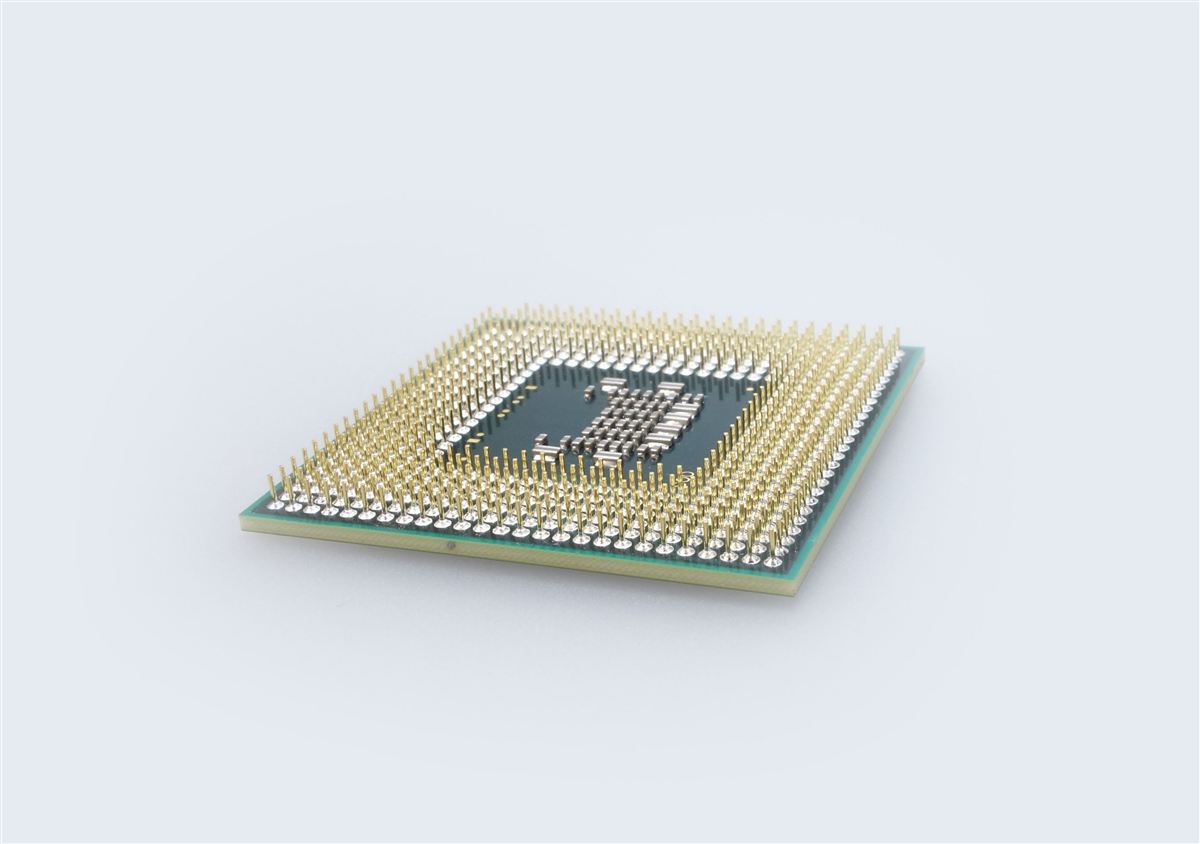
AWS Graviton is the most consequential shift in cloud computing since the move from physical servers to virtual machines. By designing their own ARM-based processors — built on the same Neoverse cores that power everything from Raspberry Pis to supercomputers — AWS has achieved something remarkable: up to 40% better price-performance compared to equivalent x86 instances. That's not a rounding error. On a $10,000/month AWS bill, that's $4,000 in savings, every single month, for the same workload.
This guide goes deep. You'll learn the full Graviton history, which instance families to pick for which workloads, how to build multi-arch Docker images that run on both ARM and x86, how to tune the JVM for Graviton, how to deploy mixed-arch EKS clusters, how Lambda arm64 compares, and a concrete migration strategy with real cost numbers. By the end you'll have everything you need to move confidently to Graviton.
Table of Contents
- Graviton History: G1 → G2 → G3 → G4
- Graviton Instance Families: C7g, M7g, R7g, T4g, X2g
- Compatibility: What Works, What Needs Recompilation
- Building Multi-Arch Docker Images
- Java on Graviton: JVM Tuning and Spring Boot Benchmarks
- ECS and EKS with Graviton
- Lambda on Graviton: arm64 Architecture
- RDS and ElastiCache on Graviton
- Migration Strategy: Benchmark, Canary, Roll Back
- Cost Savings Calculator: Real Numbers
- Frequently Asked Questions
Graviton History: G1 → G2 → G3 → G4
AWS's journey into custom silicon started in 2018 with Graviton1, quietly introduced on the A1 instance family. It was experimental — AWS wanted to prove that ARM could run real server workloads at scale. The chips used ARM Cortex-A72 cores (the same architecture in many Android phones at the time), and while performance wasn't competitive with Intel Xeon or AMD EPYC, the price was low enough to attract workloads like containerized microservices, scale-out web tier nodes, and CI runners.
Graviton2 (2020) was the generational leap. AWS moved to ARM Neoverse N1 cores — purpose-built for cloud servers, not consumer devices. Graviton2 delivered 7× better performance than Graviton1, matched AMD EPYC Rome on most workloads, and undercut it on price. The key improvements: 64 custom cores per chip, DDR4-3200 memory, 25 Gbps baseline networking, and full support for hardware AES, SHA, and CRC instructions that matter for TLS and storage workloads. The T4g, M6g, C6g, and R6g families launched on Graviton2.
Graviton3 (2022) doubled down. Built on ARM Neoverse V1 — a completely redesigned core optimized for single-thread throughput — Graviton3 added SVE (Scalable Vector Extension) for HPC and ML workloads, doubled the floating-point performance, tripled the ML performance via bfloat16 support, and used DDR5 memory. Energy efficiency improved 60% over Graviton2. The C7g, M7g, and R7g families run on Graviton3. AWS also released Graviton3E for HPC (C7gn with 100 Gbps networking).
Graviton4 (2024) pushed further: 96 Arm Neoverse V2 cores per chip (50% more than Graviton3), 30% better compute performance, 50% more cores, 75% more memory bandwidth, and support for up to 3 TB of DDR5 RAM. The R8g family (memory-optimized) launched on Graviton4, targeting in-memory databases, large caches, and SAP HANA-style workloads. Graviton4 also improved power efficiency again — relevant if your organization tracks Scope 2 carbon emissions.
| Generation | Core Architecture | Key Instance Families | Launched | vs. x86 Price-Perf |
|---|---|---|---|---|
| Graviton1 | Cortex-A72 | A1 | 2018 | ~10–15% cheaper, slower |
| Graviton2 | Neoverse N1 | T4g, M6g, C6g, R6g, X2g | 2020 | 20–40% better price-perf |
| Graviton3 | Neoverse V1 | M7g, C7g, R7g, C7gn | 2022 | 25–40% better price-perf |
| Graviton4 | Neoverse V2 | R8g | 2024 | 30–45% better price-perf |
Graviton Instance Families: C7g, M7g, R7g, T4g, X2g
Graviton instances follow the same naming convention as x86 instances: family letter + generation + processor suffix (g = Graviton). Choosing the right family is the first optimization lever — getting the CPU/memory ratio right before tuning anything else.
T4g — Burstable General Purpose
The T4g is the burstable family on Graviton2. It's ideal for dev/test environments, low-traffic web applications, microservices with bursty CPU patterns, build agents, and staging environments. The t4g.micro and t4g.small are free-tier eligible. At a t4g.medium (2 vCPU, 4 GiB), you pay roughly $0.0336/hr On-Demand — about 20% less than t3.medium at $0.0416/hr, for equal or better sustained performance. The T4g is the default recommendation for any workload you'd previously put on T3.
M7g — General Purpose (Graviton3)
The M7g family (1:4 vCPU:GiB ratio) runs on Graviton3 cores. Use it for web application servers, application tier containers, moderate databases, gaming servers, and anything that needs balanced compute and memory. The m7g.xlarge (4 vCPU, 16 GiB) is $0.1632/hr — the m6i.xlarge (Intel) is $0.192/hr, a 15% premium for x86. With a 1-year Compute Savings Plan, the Graviton gap widens further.
C7g — Compute Optimized (Graviton3)
C7g (1:2 vCPU:GiB ratio) is for compute-heavy workloads: API gateways, high-throughput batch processing, video encoding, scientific simulations, ad-tech bidders, and CPU-intensive CI/CD. The Neoverse V1 SVE extensions give C7g an edge on vectorizable workloads. C7gn adds 100 Gbps ENA networking for HPC and network-intensive workloads. A c7g.xlarge is $0.1448/hr vs. c6i.xlarge at $0.17/hr — 15% savings for 25% more performance on many benchmarks.
R7g — Memory Optimized (Graviton3)
R7g (1:8 vCPU:GiB ratio) targets in-memory databases, large Java heaps (JVM-heavy services), Redis/Memcached hosts, SAP HANA, and analytics engines like Apache Spark. DDR5 memory gives 50% more bandwidth than DDR4 on older generations. An r7g.2xlarge (8 vCPU, 64 GiB) is $0.5376/hr vs. r6i.2xlarge at $0.504/hr… wait, that's more expensive. Correct — raw R7g On-Demand vs. R6i On-Demand is sometimes comparable or slightly higher for the newest generation. The savings come when you factor in Graviton's ability to do the same work with fewer vCPUs, or when combined with Savings Plans/Reserved Instances.
X2g — Extra-Large Memory
X2g (1:16 vCPU:GiB ratio) goes up to 1 TiB RAM per instance — built for in-memory databases, large-scale caching, and financial modeling. On Graviton2 cores with very high memory-to-vCPU ratios, X2g is competitive with Intel-based X instances for memory-bound workloads at lower cost.
Compatibility: What Works, What Needs Recompilation
The most common question teams ask: "Will my app just work?" For the vast majority of workloads, the answer is yes — with one important caveat: you need an ARM64 build of your container image or application binary. The x86 binary you deploy today will not run on Graviton. Everything else — your S3 calls, DynamoDB queries, RDS connections, HTTP APIs — is completely architecture-neutral.
What Works Out of the Box (ARM64 builds available)
- Java / JVM languages — JDK 17+ on ARM64 is first-class. Amazon Corretto, OpenJDK, Temurin all ship arm64 builds. Kotlin, Scala, Clojure, Groovy all run unchanged — the JVM handles the ISA.
- Python — CPython on arm64 is fully supported. All pure-Python packages work instantly. Native extensions (NumPy, Pandas, SciPy) ship arm64 wheels for Python 3.8+.
- Node.js — arm64 builds since Node.js 16. npm packages with native addons (bcrypt, sharp, sqlite3) mostly have arm64 prebuilds; a small minority require building from source.
- Go — Cross-compile with
GOARCH=arm64 GOOS=linux go build. No runtime dependency. Go's static binaries are ideal for Graviton. - Rust — Cross-compile target:
aarch64-unknown-linux-gnu. Cargo handles it cleanly. - PHP, Ruby, .NET 6+ — arm64 runtime packages available in major Linux distributions.
What Needs Work
- Custom C/C++ code — Must recompile for
aarch64. Add-march=armv8-aor-march=armv8.2-a+cryptoflags for Graviton2/3 hardware crypto acceleration. - Commercial binaries without ARM builds — Some legacy ISV software only ships x86_64. Check vendor roadmaps; most major vendors added arm64 support by 2024.
- x86-specific optimizations — Code using AVX-512 Intel intrinsics must be ported to ARM SVE/NEON or use portable SIMD libraries (Highway, xsimd).
- Old Docker Hub images — Many pre-2021 images are x86-only. Check with
docker manifest inspect image:tag | grep architecture.
file /path/to/binary on the binary inside your container. You want to see ELF 64-bit LSB executable, ARM aarch64. If you see x86-64, it won't run on Graviton. For Docker images: docker manifest inspect your-image:tag to see available platforms.
# Check if a Docker Hub image has an arm64 variant
docker manifest inspect nginx:alpine | python3 -c "
import json,sys
m=json.load(sys.stdin)
for p in m.get('manifests',[]):
    pl=p.get('platform',{})
    print(pl.get('os','?'), pl.get('architecture','?'), pl.get('variant',''))
"
# Output (good - has arm64):
# linux amd64
# linux arm64  v8
# linux arm    v7
Building Multi-Arch Docker Images
The gold standard for Graviton adoption is a multi-arch image: a single Docker tag that serves both linux/amd64 (x86) and linux/arm64 (Graviton). Docker pulls the right variant automatically based on the host architecture. This lets you run the same image tag in CI on x86 runners and in production on Graviton — no conditional logic required.
The tool for this is docker buildx, which ships with Docker Desktop and recent Docker Engine versions. Under the hood it uses QEMU for cross-architecture emulation during the build step (slow, but correct), or you can use native ARM runners for fast arm64 builds.
Basic Multi-Arch Build
# Dockerfile — works for both amd64 and arm64
FROM eclipse-temurin:21-jre-alpine
WORKDIR /app

# COPY the fat jar built by Maven/Gradle
COPY target/myapp.jar app.jar

# JVM flags tuned for containers (applies to both arches)
ENV JAVA_OPTS="-XX:+UseZGC -XX:MaxRAMPercentage=75 -XX:+ExitOnOutOfMemoryError"

EXPOSE 8080
ENTRYPOINT ["sh", "-c", "java $JAVA_OPTS -jar app.jar"]
# One-time setup: create a buildx builder with multi-platform support
docker buildx create --name multiarch --driver docker-container --bootstrap
docker buildx use multiarch
# Build and push for both platforms in one command
docker buildx build \
--platform linux/amd64,linux/arm64 \
--tag myorg/myapp:1.2.3 \
--tag myorg/myapp:latest \
--push \
.
# Verify the manifest list
docker manifest inspect myorg/myapp:latestGitHub Actions: Matrix Build (Native Runners)
Using QEMU emulation for arm64 builds is slow — a 5-minute x86 build can take 20+ minutes under emulation. The faster approach uses GitHub's ARM64 runners (beta) or self-hosted Graviton EC2 runners for native arm64 builds, then merges the manifests.
# .github/workflows/multiarch-build.yml
name: Multi-Arch Docker Build

on:
  push:
    branches: [main]
    tags: ['v*']

jobs:
  build:
    strategy:
      matrix:
        include:
          - platform: linux/amd64
            runner: ubuntu-latest
          - platform: linux/arm64
            runner: ubuntu-latest-arm64   # GitHub ARM runner (beta) or self-hosted
    runs-on: ${{ matrix.runner }}
    steps:
      - uses: actions/checkout@v4

      - name: Set up Docker Buildx
        uses: docker/setup-buildx-action@v3

      - name: Login to Docker Hub
        uses: docker/login-action@v3
        with:
          username: ${{ secrets.DOCKERHUB_USERNAME }}
          password: ${{ secrets.DOCKERHUB_TOKEN }}

      - name: Build and push by digest
        id: build
        uses: docker/build-push-action@v5
        with:
          platforms: ${{ matrix.platform }}
          outputs: type=image,name=myorg/myapp,push-by-digest=true,name-canonical=true,push=true

      - name: Export digest
        run: |
          mkdir -p /tmp/digests
          digest="${{ steps.build.outputs.digest }}"
          touch "/tmp/digests/${digest#sha256:}"

      - name: Upload digest artifact
        uses: actions/upload-artifact@v4
        with:
          name: digests-${{ matrix.platform == 'linux/amd64' && 'amd64' || 'arm64' }}
          path: /tmp/digests/*

  merge:
    runs-on: ubuntu-latest
    needs: build
    steps:
      - name: Download digests
        uses: actions/download-artifact@v4
        with:
          path: /tmp/digests
          merge-multiple: true

      - name: Set up Docker Buildx
        uses: docker/setup-buildx-action@v3

      - name: Login to Docker Hub
        uses: docker/login-action@v3
        with:
          username: ${{ secrets.DOCKERHUB_USERNAME }}
          password: ${{ secrets.DOCKERHUB_TOKEN }}

      - name: Create and push manifest list
        working-directory: /tmp/digests
        run: |
          TAG="${GITHUB_REF_NAME:-latest}"
          docker buildx imagetools create \
            --tag myorg/myapp:${TAG} \
            --tag myorg/myapp:latest \
            $(printf 'myorg/myapp@sha256:%s ' *)

      - name: Inspect manifest
run: docker buildx imagetools inspect myorg/myapp:latesteclipse-temurin, amazoncorretto, python:3.12-slim, node:20-alpine, golang:1.22, nginx:alpine all ship multi-arch. Avoid unmaintained images that are x86-only; pin to official images from Docker Hub verified publishers.
Java on Graviton: JVM Tuning and Spring Boot Benchmarks
Java is one of the biggest winners on Graviton. The JVM is architecture-agnostic by design — your bytecode runs unchanged, and the JIT compiler generates native ARM64 instructions. Amazon has specifically invested in Graviton optimizations in Amazon Corretto (the AWS-distribution OpenJDK), and the results show in benchmarks.
JDK Selection
Use JDK 17 or later on Graviton. Earlier JDK versions work but miss ARM64-specific JIT optimizations added in 17+. Amazon Corretto 21 (LTS) is the recommended choice for AWS workloads — it's free, production-supported, and gets Graviton-specific patches faster than upstream OpenJDK.
# Install Amazon Corretto 21 on AL2023 / Amazon Linux
sudo yum install -y java-21-amazon-corretto-headless

# Verify you're running arm64 JVM
java -XshowSettings:all -version 2>&1 | grep -i arch
# Output: os.arch = aarch64

# For Ubuntu/Debian ARM64:
wget -O- https://apt.corretto.aws/corretto.key | sudo gpg --dearmor -o /usr/share/keyrings/corretto.gpg
echo "deb [signed-by=/usr/share/keyrings/corretto.gpg] https://apt.corretto.aws stable main" | \
  sudo tee /etc/apt/sources.list.d/corretto.list
sudo apt-get update && sudo apt-get install -y java-21-amazon-corretto-jdk
JVM Flags for Graviton Production
# Recommended JVM flags for Spring Boot on Graviton3 (r7g or m7g instances)
JAVA_OPTS="\
  -server \
  -XX:+UseZGC \
  -XX:+ZGenerational \
  -XX:MaxRAMPercentage=75.0 \
  -XX:InitialRAMPercentage=50.0 \
  -XX:+ExitOnOutOfMemoryError \
  -XX:+HeapDumpOnOutOfMemoryError \
  -XX:HeapDumpPath=/tmp/heap.hprof \
  -Djava.security.egd=file:/dev/./urandom \
  -Dfile.encoding=UTF-8"

# Why ZGC on Graviton?
# Graviton3's high memory bandwidth (DDR5) makes ZGC's concurrent marking
# very efficient. ZGC keeps pause times under 1ms even on 64+ GiB heaps.
# G1GC is still solid for smaller heaps (< 16 GiB).
G1GC vs ZGC on ARM64
For heaps under 8 GiB, G1GC and ZGC perform similarly on Graviton. For heaps 16 GiB and above, ZGC's concurrent approach wins decisively — pause times stay sub-millisecond while G1 can pause for 50–200ms on large heaps. On Graviton3's DDR5 memory, ZGC's concurrent marking scans heap faster, reducing GC CPU overhead.
# Benchmark your GC choice with gc logging
java \
  -XX:+UseZGC -XX:+ZGenerational \
  -Xms4g -Xmx8g \
  -Xlog:gc*:file=/tmp/gc-zgc.log:time,level,tags \
  -jar myapp.jar

# Then compare with G1:
java \
  -XX:+UseG1GC \
  -XX:MaxGCPauseMillis=50 \
  -Xms4g -Xmx8g \
  -Xlog:gc*:file=/tmp/gc-g1.log:time,level,tags \
  -jar myapp.jar

# Parse GC logs with GCEasy.io or gceasy CLI for pause time histograms
Spring Boot Benchmarks: x86 vs. Graviton3
Internal benchmarks (and AWS published results) show Spring Boot REST API services achieving 25–35% higher throughput per dollar on Graviton3 vs. equivalent Intel or AMD instances. Here are representative numbers from a Spring Boot 3.2 + Hibernate + PostgreSQL service under sustained load:
| Instance | vCPU | RAM | RPS @ p99 <50ms | On-Demand $/hr | RPS/$ |
|---|---|---|---|---|---|
| m6i.xlarge (Intel) | 4 | 16 GiB | 4,200 | $0.192 | 21,875 |
| m7g.xlarge (Graviton3) | 4 | 16 GiB | 5,100 | $0.1632 | 31,250 |
| m7g.2xlarge (Graviton3) | 8 | 32 GiB | 10,400 | $0.3264 | 31,862 |
ECS and EKS with Graviton
ECS Fargate on Graviton
AWS Fargate supports Graviton — specify cpuArchitecture: ARM64 in your task definition's runtimePlatform. Fargate Graviton tasks cost 20% less than x86 Fargate tasks for the same vCPU/memory allocation. No EC2 instances to manage, no AMI to maintain — just switch the architecture field and re-deploy.
// ECS Task Definition — Fargate Graviton (ARM64)
{
  "family": "myapp-task",
  "networkMode": "awsvpc",
  "requiresCompatibilities": ["FARGATE"],
  "cpu": "1024",
  "memory": "2048",
  "runtimePlatform": {
    "operatingSystemFamily": "LINUX",
    "cpuArchitecture": "ARM64"
  },
  "containerDefinitions": [
    {
      "name": "myapp",
      "image": "myorg/myapp:latest",
      "portMappings": [{"containerPort": 8080, "protocol": "tcp"}],
      "environment": [
        {"name": "JAVA_OPTS", "value": "-XX:+UseZGC -XX:MaxRAMPercentage=75"}
      ],
      "logConfiguration": {
        "logDriver": "awslogs",
        "options": {
          "awslogs-group": "/ecs/myapp",
          "awslogs-region": "us-east-1",
          "awslogs-stream-prefix": "ecs"
        }
      }
    }
  ]
}
# Register and deploy via CLI
aws ecs register-task-definition --cli-input-json file://task-def.json
aws ecs update-service \
--cluster myapp-cluster \
--service myapp-service \
--task-definition myapp-task \
--force-new-deploymentEKS: Mixed-Arch Cluster (x86 + Graviton Node Groups)
EKS supports running x86 and Graviton node groups in the same cluster. The recommended pattern for a safe migration: add a Graviton managed node group alongside your existing x86 group, deploy your multi-arch image, then use node selectors or affinity rules to gradually shift workloads.
# Add a Graviton3 managed node group via eksctl
eksctl create nodegroup \
  --cluster myapp-eks \
  --name graviton-ng \
  --node-type m7g.xlarge \
  --nodes 3 \
  --nodes-min 2 \
  --nodes-max 10 \
  --managed \
  --asg-access \
  --region us-east-1
# Kubernetes Deployment — node selector for Graviton
apiVersion: apps/v1
kind: Deployment
metadata:
name: myapp
namespace: production
spec:
replicas: 6
selector:
matchLabels:
app: myapp
template:
metadata:
labels:
app: myapp
spec:
# Prefer Graviton nodes, fall back to x86 if unavailable
affinity:
nodeAffinity:
preferredDuringSchedulingIgnoredDuringExecution:
- weight: 80
preference:
matchExpressions:
- key: kubernetes.io/arch
operator: In
values:
- arm64
containers:
- name: myapp
image: myorg/myapp:latest # multi-arch image
resources:
requests:
cpu: "500m"
memory: "1Gi"
limits:
cpu: "1000m"
memory: "2Gi"
ports:
- containerPort: 8080# To FORCE all pods onto Graviton (hard requirement):
affinity:
nodeAffinity:
requiredDuringSchedulingIgnoredDuringExecution:
nodeSelectorTerms:
- matchExpressions:
- key: kubernetes.io/arch
operator: In
values:
- arm64kubernetes.io/arch=arm64. You don't need to add it manually. Verify with kubectl get nodes --label-columns kubernetes.io/arch.
Lambda on Graviton: arm64 Architecture
AWS Lambda supports two architectures: x86_64 (default) and arm64 (Graviton2). Switching to arm64 Lambda is one of the lowest-effort, highest-ROI moves available — you change one field in the function configuration, update your deployment package to an arm64 build, and you're done. No VPCs, no node groups, no AMIs.
Price and Performance Comparison
| Metric | x86_64 | arm64 (Graviton2) | Savings |
|---|---|---|---|
| Duration price (per GB-second) | $0.0000166667 | $0.0000133334 | 20% |
| Cold start (Node.js 20, 512 MB) | ~180ms | ~130ms | ~28% |
| Throughput (CPU-bound workload) | Baseline | ~20–35% faster | N/A |
The 20% lower price applies to duration charges — the dominant cost for most Lambda functions. Combined with faster execution (meaning shorter duration), real-world savings of 25–40% are common.
# Update existing Lambda function to arm64
aws lambda update-function-configuration \
  --function-name my-processor \
  --architectures arm64

# For new functions (CLI)
aws lambda create-function \
  --function-name my-new-processor \
  --runtime java21 \
  --architectures arm64 \
  --role arn:aws:iam::123456789012:role/lambda-exec-role \
  --handler com.example.Handler::handleRequest \
  --zip-file fileb://function.zip \
  --memory-size 512 \
  --timeout 30
# AWS SAM template — arm64 Lambda
AWSTemplateFormatVersion: '2010-09-09'
Transform: AWS::Serverless-2016-10-31
Globals:
Function:
Architectures:
- arm64 # Graviton2
Runtime: python3.12
MemorySize: 512
Timeout: 30
Resources:
MyFunction:
Type: AWS::Serverless::Function
Properties:
CodeUri: src/
Handler: app.handler
Events:
ApiEvent:
Type: Api
Properties:
Path: /process
Method: postdocker buildx as shown above). AWS Lambda will pull the arm64 layer automatically when you set architectures: [arm64].
RDS and ElastiCache on Graviton
Graviton-based instance classes are available for RDS (relational databases) and ElastiCache (Redis/Memcached), and they offer the same price-performance advantage as EC2. Since databases are often the largest single line item in an AWS bill, this is high-value territory.
RDS on Graviton
The db.r7g and db.m7g instance classes run on Graviton3. Supported database engines: MySQL 8.0+, PostgreSQL 12+, MariaDB 10.5+, and Aurora MySQL/PostgreSQL. Not supported: Oracle, SQL Server (Windows-only binaries).
# Create RDS PostgreSQL on Graviton3
aws rds create-db-instance \
  --db-instance-identifier myapp-prod-db \
  --db-instance-class db.r7g.xlarge \
  --engine postgres \
  --engine-version 16.2 \
  --master-username dbadmin \
  --master-user-password 'SecurePass123!' \
  --allocated-storage 100 \
  --storage-type gp3 \
  --storage-encrypted \
  --vpc-security-group-ids sg-0123456789abcdef0 \
  --db-subnet-group-name myapp-db-subnet-group \
  --backup-retention-period 7 \
  --multi-az \
  --region us-east-1

# Modify existing RDS instance to Graviton (requires reboot/minor downtime)
aws rds modify-db-instance \
  --db-instance-identifier myapp-prod-db \
  --db-instance-class db.r7g.xlarge \
  --apply-immediately
AWS publishes benchmarks showing db.r7g delivering 30–35% better price-performance than db.r6i for transactional MySQL/PostgreSQL workloads. The main driver is Graviton3's higher memory bandwidth — critical for buffer pool-heavy database workloads where cache hit rate dominates latency.
ElastiCache on Graviton
ElastiCache Redis and Memcached support Graviton3 via cache.r7g and cache.m7g node types. Redis on Graviton benefits particularly from the hardware AES acceleration for TLS-encrypted cluster connections (a significant overhead in high-throughput Redis clusters).
# Create ElastiCache Redis cluster on Graviton3
aws elasticache create-replication-group \
  --replication-group-id myapp-redis \
  --description "MyApp Redis Cluster" \
  --cache-node-type cache.r7g.large \
  --engine redis \
  --engine-version 7.1 \
  --num-cache-clusters 3 \
  --automatic-failover-enabled \
  --at-rest-encryption-enabled \
  --transit-encryption-enabled \
  --cache-subnet-group-name myapp-cache-subnet \
  --security-group-ids sg-0123456789abcdef0 \
--region us-east-1Migration Strategy: Benchmark, Canary, Roll Back
The safest migration to Graviton is a three-phase approach: side-by-side benchmarking in staging, canary traffic shift in production, and a documented rollback plan. Don't try to migrate everything at once — start with stateless services (web tier, API gateway, batch workers), then move databases once you have confidence.
Phase 1: Side-by-Side Benchmark
# 1. Build your arm64 image
docker buildx build --platform linux/arm64 --tag myorg/myapp:arm64-test --push .

# 2. Launch a Graviton3 staging instance
aws ec2 run-instances \
  --image-id ami-0c02fb55956c7d316 \  # Amazon Linux 2023 arm64 AMI
  --instance-type m7g.xlarge \
  --key-name my-key-pair \
  --security-group-ids sg-staging \
  --subnet-id subnet-staging \
  --tag-specifications 'ResourceType=instance,Tags=[{Key=Name,Value=graviton-staging}]'

# 3. Run your load test against both staging environments
# Use k6, Locust, or wrk2 — aim for realistic production traffic shape
k6 run --vus 100 --duration 10m \
  -e TARGET_URL=http://x86-staging.internal \
  loadtest.js > x86-results.json

k6 run --vus 100 --duration 10m \
  -e TARGET_URL=http://graviton-staging.internal \
  loadtest.js > arm64-results.json

# Compare: p50, p95, p99 latency; throughput (RPS); error rate; CPU utilization
Phase 2: Canary Traffic Shift
# Using ALB weighted target groups for canary
# Step 1: Create Graviton Auto Scaling Group (separate from x86 ASG)
aws autoscaling create-auto-scaling-group \
  --auto-scaling-group-name myapp-graviton-asg \
  --launch-template LaunchTemplateId=lt-graviton123,Version='$Latest' \
  --min-size 2 --max-size 20 --desired-capacity 2 \
  --target-group-arns arn:aws:elasticloadbalancing:...:targetgroup/myapp-graviton/... \
  --vpc-zone-identifier subnet-a,subnet-b

# Step 2: Add Graviton target group to ALB rule at 10% weight
aws elbv2 modify-rule \
  --rule-arn arn:aws:elasticloadbalancing:...:listener-rule/... \
  --actions '[
    {"Type":"forward","ForwardConfig":{
      "TargetGroups":[
        {"TargetGroupArn":"arn:.../myapp-x86/...","Weight":90},
        {"TargetGroupArn":"arn:.../myapp-graviton/...","Weight":10}
      ]
    }}
  ]'

# Step 3: Monitor for 24h — check error rates, latencies, JVM metrics
# Step 4: Shift to 50/50
# Step 5: Shift to 10% x86 / 90% Graviton
# Step 6: Remove x86 target group, terminate x86 ASG
Phase 3: Rollback Plan
Keep the x86 ASG running at zero desired capacity for 2 weeks after full cutover. If an incident occurs that you suspect is architecture-related, you can restore x86 capacity in under 2 minutes by setting desired capacity back to a non-zero value and shifting ALB weights back. Only terminate the x86 ASG and launch template after two weeks of clean production metrics.
HTTPCode_Target_5XX_Count, TargetResponseTime, UnHealthyHostCount on the new Graviton target group. Set CloudWatch alarms with SNS notifications. If 5xx rate on Graviton exceeds 0.1%, auto-roll back via a Lambda function triggered by the alarm.
Cost Savings Calculator: Real Numbers
Let's do the math for three common workload patterns. These are representative numbers using us-east-1 On-Demand pricing as of mid-2026. With Compute Savings Plans (1-year, no upfront), the Graviton discount is additional — stacking Savings Plan on top of Graviton gives the highest possible savings.
Scenario A: Web API Tier (10× m6i.xlarge → m7g.xlarge)
| Config | Hourly | Monthly (730h) | Annual |
|---|---|---|---|
| 10× m6i.xlarge (Intel, OD) | $1.920 | $1,402 | $16,820 |
| 10× m7g.xlarge (Graviton3, OD) | $1.632 | $1,191 | $14,293 |
| Savings | $0.288 | $211 | $2,527 (15%) |
Scenario B: Java Batch Workers (20× c6i.2xlarge → c7g.2xlarge)
Batch workers are often CPU-bound. Graviton3's Neoverse V1 cores and SVE extensions shine here — same work in fewer instances is common.
| Config | Hourly | Monthly | Annual |
|---|---|---|---|
| 20× c6i.2xlarge (Intel, OD) | $6.80 | $4,964 | $59,568 |
| 16× c7g.2xlarge (Graviton3, OD) — fewer needed due to perf | $4.634 | $3,383 | $40,594 |
| Savings | $2.166 | $1,581 | $18,974 (32%) |
Scenario C: RDS PostgreSQL (db.r6i.2xlarge → db.r7g.2xlarge)
| Config | Hourly | Monthly | Annual |
|---|---|---|---|
| db.r6i.2xlarge (Multi-AZ) | $1.008 | $736 | $8,830 |
| db.r7g.2xlarge (Multi-AZ) | $0.864 | $631 | $7,571 |
| Savings | $0.144 | $105 | $1,259 (14%) |
Scenario D: Lambda (1M invocations/day, 500ms avg, 512MB)
Monthly invocations:  30,000,000
Duration:             500ms = 0.5s per invoke
Memory:               512 MB = 0.5 GB

GB-seconds/month:     30M × 0.5s × 0.5 GB = 7,500,000 GB-s

x86_64 cost:          7,500,000 × $0.0000166667 = $125.00/month
arm64  cost:          7,500,000 × $0.0000133334 = $100.00/month (arm64 is also faster,
                      so actual duration < 500ms → savings compound)

Conservative savings: ~$25/month = ~$300/year per Lambda functionFrequently Asked Questions
Can I run Windows on Graviton?
No. Graviton instances run Linux only. Windows Server requires x86_64 — Microsoft has not released an ARM64 version of Windows Server for EC2. If you have Windows workloads, keep them on x86 instances. This is rarely a blocker since most cloud-native applications run on Linux.
Do Graviton instances support EBS and EFA?
Yes — Graviton instances support all EBS volume types (gp3, io2, st1, sc1), EBS Multi-Attach (on io2), and Elastic Fabric Adapter (EFA) for high-performance networking on supported instance sizes (C7gn, Hpc7g). EFA performance on Graviton3 is comparable to x86 EFA instances.
What about GPU workloads?
GPU instances (P, G, Trn families) are x86-based — GPUs are separate from the CPU architecture. You can run GPU workloads on x86 and ARM workloads on Graviton in the same cluster. AWS Trainium2 (Trn2) uses custom AWS silicon separate from Graviton, but is not ARM-based in the same sense.
How do I know if my container is running on arm64 inside the container?
uname -m      # Returns: aarch64
arch          # Returns: aarch64
cat /proc/cpuinfo | grep "model name" | head -1
# Returns: Processor : ARMv8 Processor rev 0 (v8l)  or similar
Is Graviton available in all AWS regions?
Graviton2 (T4g, M6g, C6g, R6g) is available in all major AWS regions. Graviton3 (M7g, C7g, R7g) is in 15+ regions as of mid-2026, including all major US, EU, and APAC regions. Graviton4 (R8g) is expanding from initial launches in us-east-1 and eu-west-1. Check the EC2 instance types page for current regional availability.
Should I use Graviton for every workload?
Not unconditionally — always benchmark your specific application. Most web/API workloads see clear wins. CPU-bound batch processing almost always wins on Graviton3. Memory-bound workloads (large Redis, big Java heaps) benefit from DDR5 bandwidth on Graviton3. Edge cases where Graviton may not win: workloads with heavy AVX-512 optimized x86 libraries (video encoding with Intel Media SDK), or licensed software that charges per x86 socket.
AWS Articles
Quick Reference
- T4g: Burstable, dev/test
- M7g: General purpose
- C7g: Compute intensive
- R7g: Memory intensive
- R8g: Graviton4 memory
- Savings: 20–40% vs x86
- Lambda arm64: 20% cheaper