Getting Started with Angular
Installation
To get started with Angular, you need to install Node.js and npm (Node Package Manager). Follow the steps below:
- Download and install Node.js from Node.js Official Site.
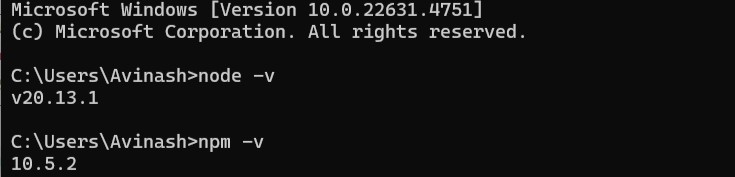
- Verify the installation by running the following commands in your terminal:
node -v
npm -v
Creating a New Angular Project
Once you have Node.js and npm installed, you can create a new Angular project using the Angular CLI (Command Line Interface). Run the following command:
npm install -g @angular/cli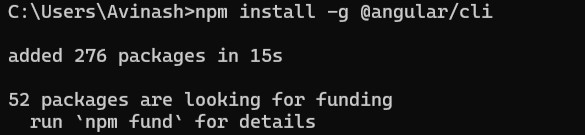
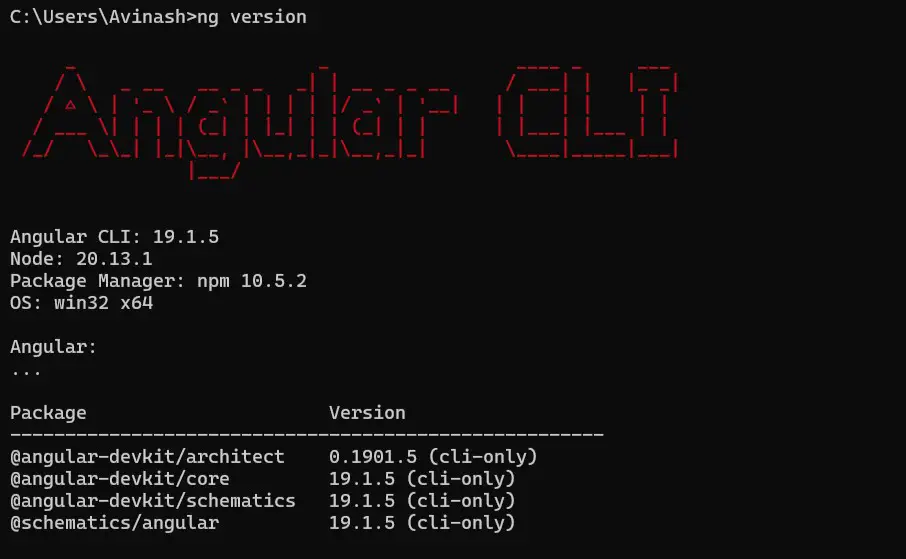
After installing the Angular CLI, create a new project by running: ng new techoral-angular-app
C:\Users\Avinash>ng new techoral-angular-app

                        Would you like to share pseudonymous usage data about this project with the Angular Team
                        at Google under Google's Privacy Policy at https://policies.google.com/privacy. For more
                        details and how to change this setting, see https://angular.dev/cli/analytics.

                           No
                        Global setting: disabled
                        Local setting: No local workspace configuration file.
                        Effective status: disabled
                        √ Which stylesheet format would you like to use? CSS             [ https://developer.mozilla.org/docs/Web/CSS
                                  ]
                        √ Do you want to enable Server-Side Rendering (SSR) and Static Site Generation (SSG/Prerendering)? Yes
                        √ Would you like to use the Server Routing and App Engine APIs (Developer Preview) for this server application? Yes
                        CREATE techoral-angular-app/angular.json (2902 bytes)
                        CREATE techoral-angular-app/package.json (1305 bytes)
                        CREATE techoral-angular-app/README.md (1540 bytes)
                        CREATE techoral-angular-app/tsconfig.json (942 bytes)
                        CREATE techoral-angular-app/.editorconfig (331 bytes)
                        CREATE techoral-angular-app/.gitignore (629 bytes)
                        CREATE techoral-angular-app/tsconfig.app.json (508 bytes)
                        CREATE techoral-angular-app/tsconfig.spec.json (449 bytes)
                        CREATE techoral-angular-app/.vscode/extensions.json (134 bytes)
                        CREATE techoral-angular-app/.vscode/launch.json (490 bytes)
                        CREATE techoral-angular-app/.vscode/tasks.json (980 bytes)
                        CREATE techoral-angular-app/src/main.ts (256 bytes)
                        CREATE techoral-angular-app/src/index.html (317 bytes)
                        CREATE techoral-angular-app/src/styles.css (81 bytes)
                        CREATE techoral-angular-app/src/main.server.ts (271 bytes)
                        CREATE techoral-angular-app/src/server.ts (1674 bytes)
                        CREATE techoral-angular-app/src/app/app.component.html (20239 bytes)
                        CREATE techoral-angular-app/src/app/app.component.spec.ts (987 bytes)
                        CREATE techoral-angular-app/src/app/app.component.ts (308 bytes)
                        CREATE techoral-angular-app/src/app/app.component.css (0 bytes)
                        CREATE techoral-angular-app/src/app/app.config.ts (447 bytes)
                        CREATE techoral-angular-app/src/app/app.routes.ts (80 bytes)
                        CREATE techoral-angular-app/src/app/app.config.server.ts (509 bytes)
                        CREATE techoral-angular-app/src/app/app.routes.server.ts (174 bytes)
                        CREATE techoral-angular-app/public/favicon.ico (15086 bytes)
                        √ Packages installed successfully.
                        warning: in the working copy of 'package-lock.json', LF will be replaced by CRLF the next time Git touches it
                        warning: in the working copy of 'package.json', LF will be replaced by CRLF the next time Git touches it
                            Successfully initialized git.
Running Your Angular Application
Navigate to your project directory and start the development server:
C:\Users\Avinash\techoral-angular-app>ng serve
                        Component HMR has been enabled.
                        If you encounter application reload issues, you can manually reload the page to bypass HMR and/or disable this feature with the `--no-hmr` command line option.
                        Please consider reporting any issues you encounter here: https://github.com/angular/angular-cli/issues

                        Browser bundles
                        Initial chunk files  | Names            |  Raw size
                        polyfills.js         | polyfills        |  90.20 kB |
                        main.js              | main             |  23.24 kB |
                        styles.css           | styles           |  95 bytes |

                                             | Initial total    | 113.54 kB


                        Server bundles
                        Initial chunk files  | Names            |  Raw size
                        polyfills.server.mjs | polyfills.server | 572.91 kB |
                        main.server.mjs      | main.server      |  24.56 kB |
                        server.mjs           | server           |   1.86 kB |

                        Application bundle generation complete. [4.704 seconds]

                        Watch mode enabled. Watching for file changes...
                        NOTE: Raw file sizes do not reflect development server per-request transformations.
                          ➜  Local:   http://localhost:4200/
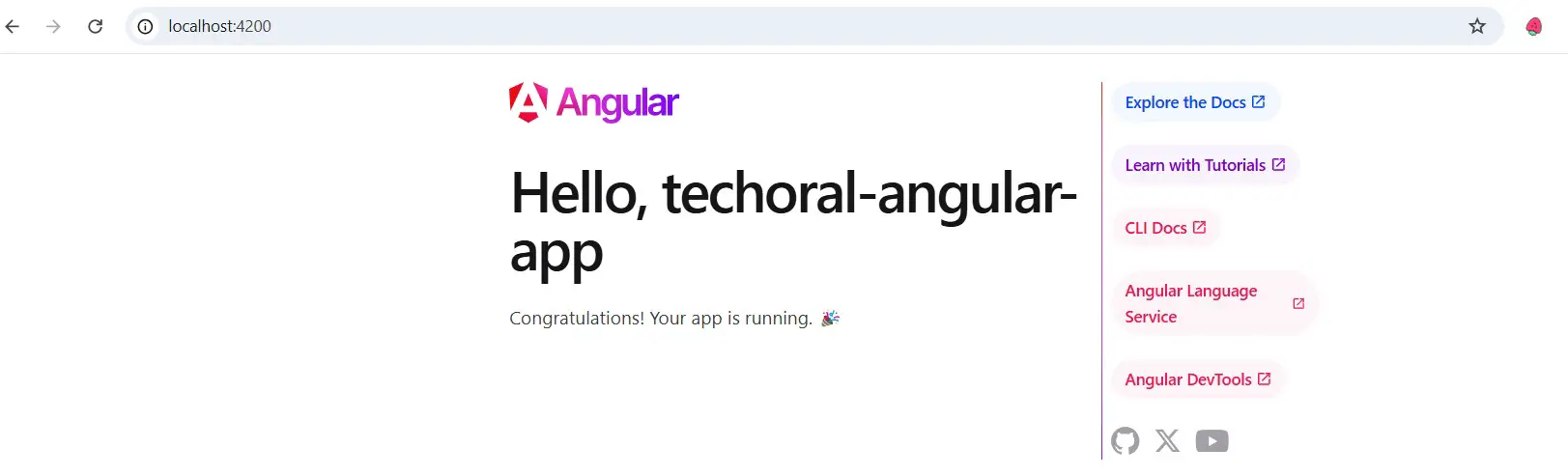
Open your browser and go to http://localhost:4200 to see your application in action!